Flooring contractor software for teams of 1-10

Flooring scheduling software for installation teams

Flooring software for installers and contractors: capture requests, schedule measures and multi-day jobs, document scope changes, send estimates, and invoice.

Reviewed · By Nick Petrus

  • 50 one-time AI credits
  • No credit card
  • One connected workspace

Built for site measures, preparation, installations, repairs, return visits, and customer-approved scope changes.

Plain-language definition

What is Flooring business software?

Flooring software connects the customer, property, measure appointment, product and subfloor notes, installation schedule, assigned crew, approved estimate, field record, change, invoice, and payment status. General field service software can organize that operating record; specialist flooring systems may still be needed for takeoff, layout, inventory, purchasing, fabrication, or retail workflows.

Where the day gets messy

The information gaps behind everyday Flooring work

These are coordination problems, not abstract software problems. Each one becomes easier when the call, job, calendar, and customer documents share a record.

A request is not ready to schedule as an installation

The office may need the property type, rooms, access, occupied status, current surface, stairs, furniture, product status, and a measure visit before promising duration or dates. Those open questions should stay with the customer rather than in a separate message thread.

Measure, preparation, delivery, and installation depend on each other

A missing site measure, moisture or subfloor concern, product delay, acclimation requirement, furniture decision, or unfinished preparation can move the whole schedule. The team needs visible dependencies and a human decision before changing the customer commitment.

Multi-day work collides with smaller service jobs

A crew may be committed across several days while repairs, callbacks, and new measures continue to arrive. A shared calendar should show the current job, appointment sequence, assigned people, and changes without pretending to optimize every route or crew automatically.

Field conditions change the proposed scope

The actual subfloor, transitions, removal, leveling, trim, access, or occupied-area conditions may differ from the initial description. The team needs to record the finding, revise or defer the work, obtain approval, and keep billing tied to the accepted change.

Documents and photos become separated from billing

Measurements, product notes, before-and-after photos, signed approvals, crew updates, estimate versions, invoices, and payment follow-up are difficult to reconcile when each lives in a different app. One job history gives the office a reviewable handoff.

One connected record

Call → Job → Schedule → Estimate → Invoice

A connected flooring workflow keeps the original request, measure, reviewed scope, appointments, field evidence, approvals, invoice, and payment status together. The contractor remains responsible for measurements, material calculations, product suitability, site conditions, crew decisions, compliance, and final price.

  1. Call

    Capture the property and the next decision

    Record the caller, service address, rooms, existing surface, access, occupancy, product status, photos or dimensions supplied by the customer, preferred measure window, and questions requiring human review. Configured AI phone intake can follow approved questions and escalation rules.

    In this workflow: Three occupied rooms, furniture present, product not selected, weekday measure requested.

  2. Job

    Create one record for measure and installation

    Keep the customer request, site notes, team-supplied measurements, photos, product selection, subfloor findings, exclusions, and next actions on one job. Mark estimates and installation dates as provisional until the responsible person confirms them.

    In this workflow: Measure required; removal and leveling scope pending inspection; product decision open.

  3. Schedule

    Sequence measure, preparation, and crew visits

    Review duration, assigned people, site access, preparation, product availability, customer commitments, travel, and dependencies before creating or moving appointments. Use separate appointments when the project spans several days or needs a return visit.

    In this workflow: Measure Tuesday; preparation and product checks complete before a two-day installation is confirmed.

  4. Estimate

    Document the verified scope and assumptions

    Prepare line items from measurements and pricing supplied and checked by the business. Describe material, labor, removal, preparation, transitions, trim, delivery, taxes, assumptions, exclusions, and the approval path without implying automatic takeoff or product calculation.

    In this workflow: Reviewed quantities and installation scope with subfloor leveling identified as an allowance pending exposure.

  5. Invoice

    Bill completed and approved work

    Review field notes, completed areas, materials, approved changes, deferred items, estimate, payments, and customer documents before sending or correcting the invoice. Keep the record available for warranty questions, repairs, and future rooms.

    In this workflow: Installed rooms, approved transition change, deferred baseboard item, invoice, and balance in one history.

Try the workflow with a real job.The free plan does not require payment details.
Start free

See the current Fixlify mobile job workflow

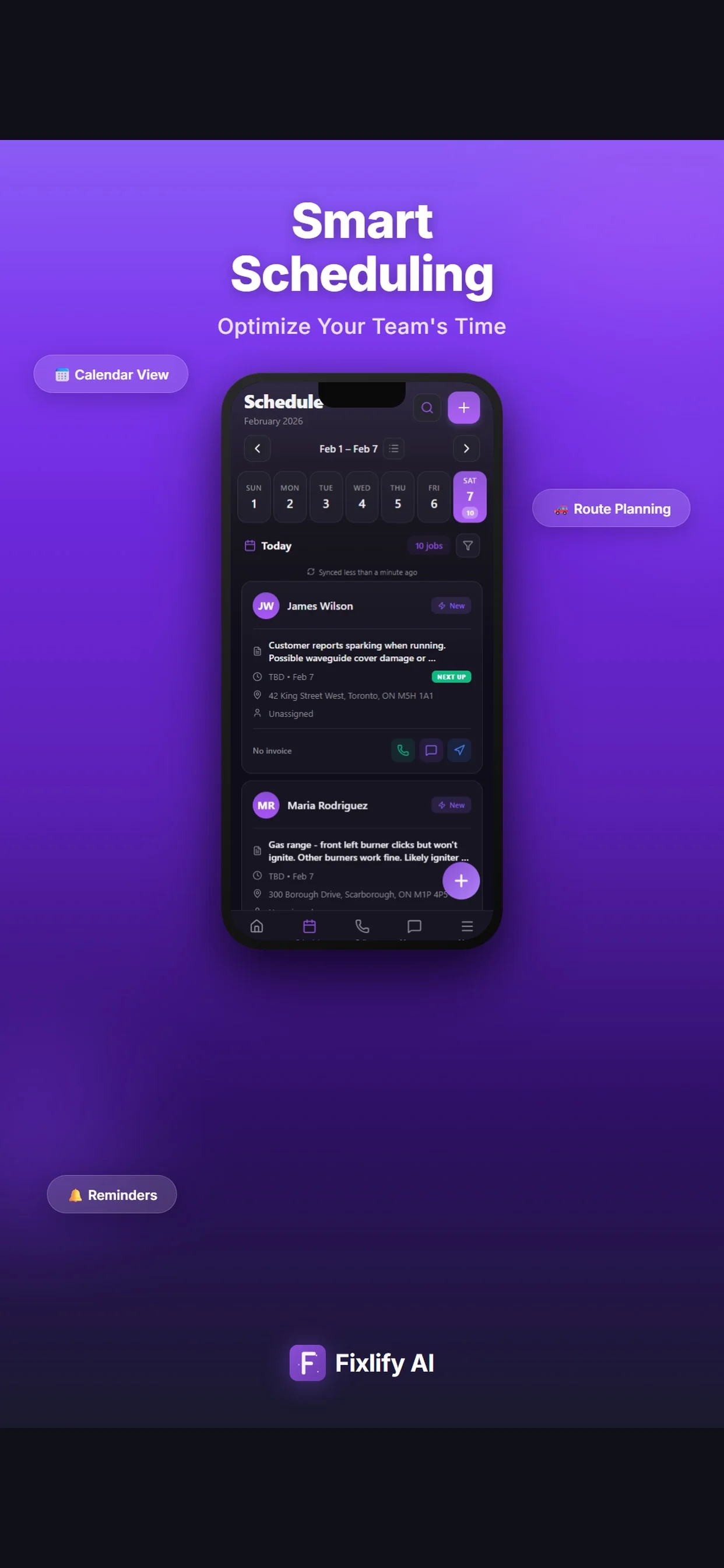
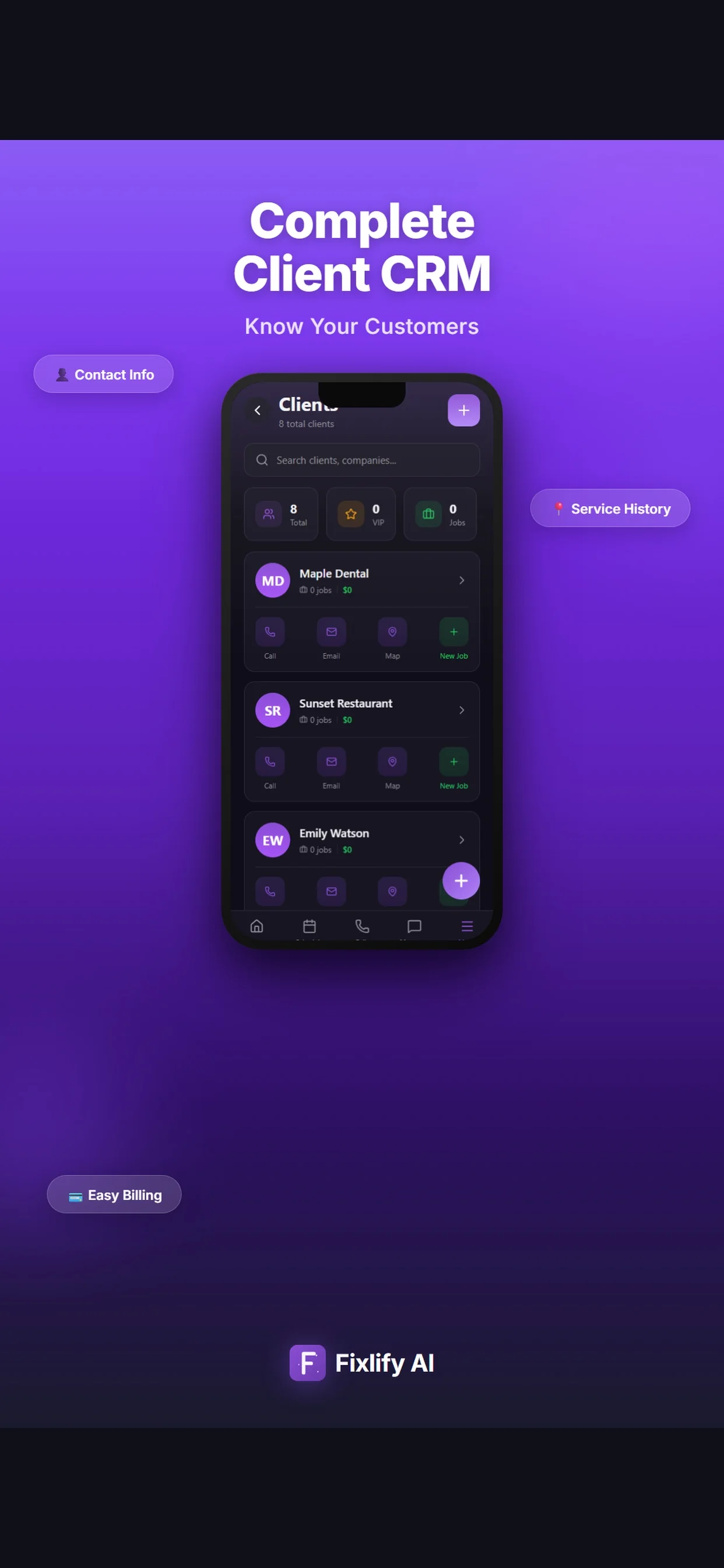
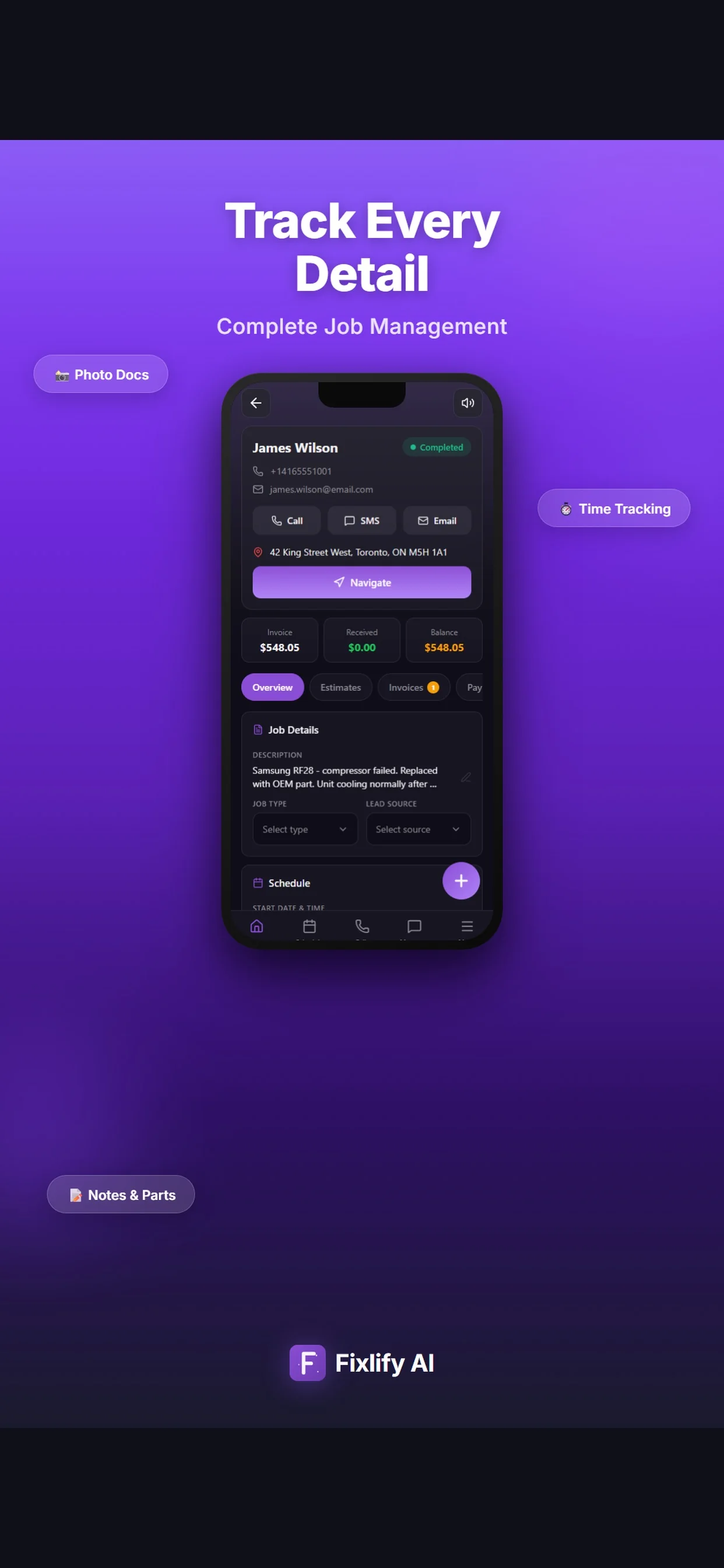
These official App Store images show current customer, job, and schedule screens. They demonstrate where a flooring team can review assigned work and customer context. The listing uses sample data; available actions depend on workspace configuration and permissions.

Official App Store listing screenshots · captured August 25, 2026 · View the official listing

Official Fixlify iOS App Store image showing the field service client list
Client list with contact actions, job count, and a path to related work.
Official Fixlify iOS App Store image showing a field service job record
Job details connecting the customer, address, notes, schedule, and invoice balance.
Official Fixlify iOS App Store image showing the technician schedule
Schedule view with dated jobs, assignment state, and customer contact actions.

Buyer checklist

Eight tests for flooring contractor software

Use one anonymized but representative project in every trial. Include the measure, a dependency, a schedule change, an unexpected field condition, a customer approval, a return visit, a billing correction, and an export so the comparison covers real exceptions.

Flooring request intake

The intake should preserve the property, rooms, access, occupancy, existing surface, product status, requested timing, customer-supplied photos or dimensions, and questions requiring review. It must distinguish a lead from confirmed installation scope.

Test it: Call with an incomplete three-room request, change the product status, and confirm the correct customer and job record, notification, assignment, and human handoff.

Measure and estimate handoff

The measured record should stay connected to the estimate without pretending that software verified the dimensions, waste factor, pattern, layout, product suitability, or price. Check version history, assumptions, exclusions, taxes, and approval.

Test it: Enter team-verified quantities, revise one room and one allowance, send the estimate, record approval, and compare the accepted version with the job.

Multi-day scheduling

Flooring scheduling software should represent measure, preparation, installation days, callbacks, and dependencies clearly. A calendar entry alone does not prove crew capacity, product readiness, automatic routing, or project control.

Test it: Schedule a two-day occupied installation, insert a repair request, delay product readiness, and confirm every assignment, customer commitment, and downstream change.

Field record and scope change

Installers need the current approved scope and a controlled path for subfloor, transition, removal, trim, damage, or access findings. Confirm permissions, timestamps, photos, customer approval, and invoice impact.

Test it: Add an unexpected leveling condition from a phone, attach photos, request a reviewed change, approve it, and verify the final invoice without overwriting the original scope.

Customer communication and AI phone

If an AI receptionist is part of the purchase, define allowed questions, booking rules, business hours, service area, unsupported work, estimates, emergencies, human escalation, consent, retention, and usage charges.

Test it: Call with a routine measure request, unknown square footage, product delay, unsupported commercial project, price demand, reschedule, and transfer request; inspect records, offered times, handoff, transcript, and credits.

Specialist-system boundary

List every takeoff, floor-plan, laser measure, layout, estimating, catalog, inventory, purchase order, roll or dye-lot, warehouse, cutting, fabrication, retail, commission, and accounting function required. General FSM should not be assumed to replace them.

Test it: Trace one project through every current specialist tool and mark the system of record, identifier, import, export, reconciliation, failure, and manual handoff.

Mobile, offline, and permissions

A mobile app listing does not establish full offline operation. Define which roles can see customer details, prices, notes, photos, estimates, invoices, payments, and schedule changes, plus what must work without a connection.

Test it: Run the measure and field-update steps on the real device and connection, remove connectivity, change a permission, reconnect, and inspect synchronization and audit behavior.

Twelve-month cost and exit

Compare users, jobs, AI credits, phone number, calls, messages, payments, add-ons, migration, training, support, accounting, storage, taxes, renewal, internal labor, parallel operation, export, retention, and cancellation.

Test it: Calculate low, expected, and busy-month use for one year, then export a project with customers, notes, appointments, documents, photos, invoices, and payment references before signing.
Scope and limits

What Fixlify flooring software does not replace

Fixlify organizes the customer and job workflow. Keep measurements, flooring calculations, product decisions, regulated work, accounting controls, and specialist operations with the qualified people and systems responsible.

  • Automatic room measurement, floor-plan capture, laser-measure integration, takeoff, layout, pattern matching, seam planning, stair calculation, waste factor, or product quantity verification
  • A flooring catalog, retail point of sale, sample management, product configurator, inventory, roll or dye-lot tracking, warehouse, cutting, fabrication, purchasing, delivery, or supplier system
  • Moisture, subfloor, acclimation, adhesive, product-suitability, installation-standard, safety, warranty, code, permit, or manufacturer decision
  • General construction project management, bid management, production planning, commission accounting, payroll, tax filing, or complete bookkeeping
  • Automatic QuickBooks synchronization while that integration remains marked coming soon, or guaranteed parity with any existing accounting or specialist flooring platform
  • Full offline operation, live GPS tracking, autonomous dispatch, unattended route optimization, automatic crew-capacity planning, or automatic coordination of delivery and installation
  • A Fixlify phone number requires a paid plan and 70 credits per month before calls; AI and phone activity consumes more credits. Do not use AI-generated measurements, scope, prices, promises, approvals, or installation dates without the business's verified data, rules, review, and escalation path
  • A guaranteed booking, schedule, route, installation duration, material yield, margin, revenue, review, migration, or customer outcome

For the people doing the work

One system, three views of the same job

A small team does not need three disconnected tools. Each person needs the part of the same customer record that helps them move the work forward.

Flooring owner-operator

Manage measures and customer documents while working in the field

Keep requests, appointments, job context, estimates, invoices, and follow-up accessible without rebuilding the day from calls, paper notes, and separate calendars.

  • Capture measure requests
  • Review the next property and open questions
  • Prepare and track customer documents

Office coordinator

Schedule the next verified stage

See whether a request needs measurement, product confirmation, preparation, installation, a return visit, or human escalation before offering the next appointment.

  • Keep dependencies with the job
  • Assign the responsible person
  • Record reschedules and customer changes

Installer or crew lead

Open the current scope and return field evidence

Review the assigned property, appointment, customer context, notes, and approved work, then add findings, photos, completed tasks, and questions for office review.

  • Review the current job record
  • Add field notes and photos
  • Document changes before billing

For teams of 1–10

A practical fit for a small flooring service workflow

Fixlify is designed for a solo operator or small team that wants calls, customers, jobs, appointments, field updates, estimates, invoices, payments, and follow-up connected. Test a measure, multi-day installation, schedule delay, scope change, return visit, invoice correction, and export before moving live work.

Review plan limits and pricing
  • You schedule measures, preparation, installations, repairs, or return visits
  • Your team needs job notes, photos, appointments, estimates, and invoices in one history
  • A person will verify measurements, product quantities, suitability, scope, crew, and price
  • You can keep specialist takeoff, layout, inventory, purchasing, fabrication, or retail tools beside the job system when required
  • Your team fits the published member and job limits and can test the actual mobile and connection conditions

Questions before you start

Flooring software FAQ

Straight answers for owners deciding whether a connected job workflow fits their business.

What is flooring software?

Flooring software connects customer requests, properties, measure visits, product and site notes, installation appointments, assigned crews, estimates, approved changes, invoices, payments, and history. Specialist systems may add takeoff, layout, catalogs, inventory, purchasing, fabrication, retail, or accounting functions.

What is the best flooring software for a small contractor?

The best fit completes your real measure-to-invoice workflow with acceptable setup, training, cost, correction effort, and specialist-system handoffs. Test a multi-day project, dependency, scope change, return visit, invoice correction, mobile use, and export in the plan you would buy.

Can Fixlify schedule flooring measurements and installations?

Fixlify can keep a customer, job, appointments, and assigned people connected. A person reviews duration, access, product and site readiness, preparation, crew, travel, and existing commitments before confirming measure, preparation, installation, or return visits.

Can Fixlify answer calls for a flooring installer?

Configured AI phone intake can collect approved details and follow booking and human-escalation rules on paid plans. A phone number requires 70 credits per month before calls, and activity consumes credits. Test incomplete measurements, pricing requests, schedule conflicts, unsupported work, and transfers before production use.

Does Fixlify measure rooms or calculate flooring quantities?

No automatic measurement, takeoff, layout, pattern, seam, stair, or waste calculation is claimed. The business supplies and verifies dimensions, quantities, product suitability, assumptions, exclusions, and prices before using them in an estimate.

Can Fixlify manage a multi-day flooring installation?

You can create connected appointments and keep the sequence, notes, assignments, and changes with the job. A person remains responsible for crew capacity, preparation, product readiness, delivery, travel, dependencies, customer commitments, and final schedule decisions.

Does Fixlify replace flooring inventory or project-management software?

Fixlify is a customer and job operations system. It is not represented as a replacement for specialist catalogs, retail POS, inventory, roll or dye-lot tracking, warehouse, cutting, fabrication, purchasing, delivery, takeoff, layout, or general construction project management.

Does Fixlify integrate with QuickBooks?

QuickBooks is currently marked coming soon. Do not assume automatic synchronization. Define the accounting system of record, required customers, items, taxes, estimates, invoices, payments, refunds, deposits, exports, reconciliation, and historical access before switching.

How much does Fixlify cost for a flooring business?

Free includes one member, up to 30 jobs per month, and 50 one-time AI credits. Pro is $49 per month for three members, up to 200 jobs, and 300 monthly AI credits. Business is $199 per month for ten members, unlimited jobs, and 1,000 monthly AI credits. Phone numbers and AI activity consume credits; check current pricing terms.

Your next flooring job

Start with the work already on your schedule.

Create the customer, schedule the job, and keep the estimate and invoice connected. Start with 50 one-time AI credits and no card.

Run your next job in Fixlify
No credit cardNo contractCancel anytime

Optional analytics

Help us improve the site. We exclude form text and contact details. Privacy policy