Demand changes with the weather
A normal calendar can become crowded with no-cooling or no-heat requests. The office needs to see open windows and existing commitments before promising an arrival time.
HVAC software for teams of 1–10
HVAC field service software for teams of 1–10. Keep customer calls, equipment notes, scheduling, technician assignments, estimates, and invoices connected.
Reviewed · By Nick Petrus
Built for residential service calls, maintenance visits, diagnostics, and replacement estimates.
Plain-language definition
HVAC business software gives a small heating and cooling company one place to receive service requests, schedule technicians, record equipment details, and prepare customer documents.
Where the day gets messy
These are coordination problems, not abstract software problems. Each one becomes easier when the call, job, calendar, and customer documents share a record.
A normal calendar can become crowded with no-cooling or no-heat requests. The office needs to see open windows and existing commitments before promising an arrival time.
Model numbers, customer descriptions, prior notes, and photos often live in separate messages. A technician needs that context attached to the job before arriving.
A diagnostic can lead to an estimate, a part-dependent return visit, or a replacement discussion. Each next step should stay connected to the original customer and system.
Small teams must balance urgent calls, planned tune-ups, and longer installations without relying on a whiteboard plus a group text.
One connected record
A connected HVAC workflow keeps the original customer request visible as the office and technician move the work forward.
Call
Record the caller, property, symptoms, equipment information, access notes, and preferred appointment window.
In this workflow: Upstairs heat pump runs, but the supply air is warm.
Job
Turn the request into a job so call notes, customer history, photos, and technician updates remain together.
In this workflow: Diagnostic visit with equipment notes attached.
Schedule
Place the job on the shared calendar and assign the available technician who should handle the visit.
In this workflow: Tuesday morning window assigned to the service technician.
Estimate
Prepare an estimate from the technician's findings when the customer needs a repair, component replacement, or system option.
In this workflow: Repair recommendation with labor and equipment line items.
Invoice
Create the invoice from the approved and completed work, then keep its status with the customer and job history.
In this workflow: Completed diagnostic and approved repair documented together.
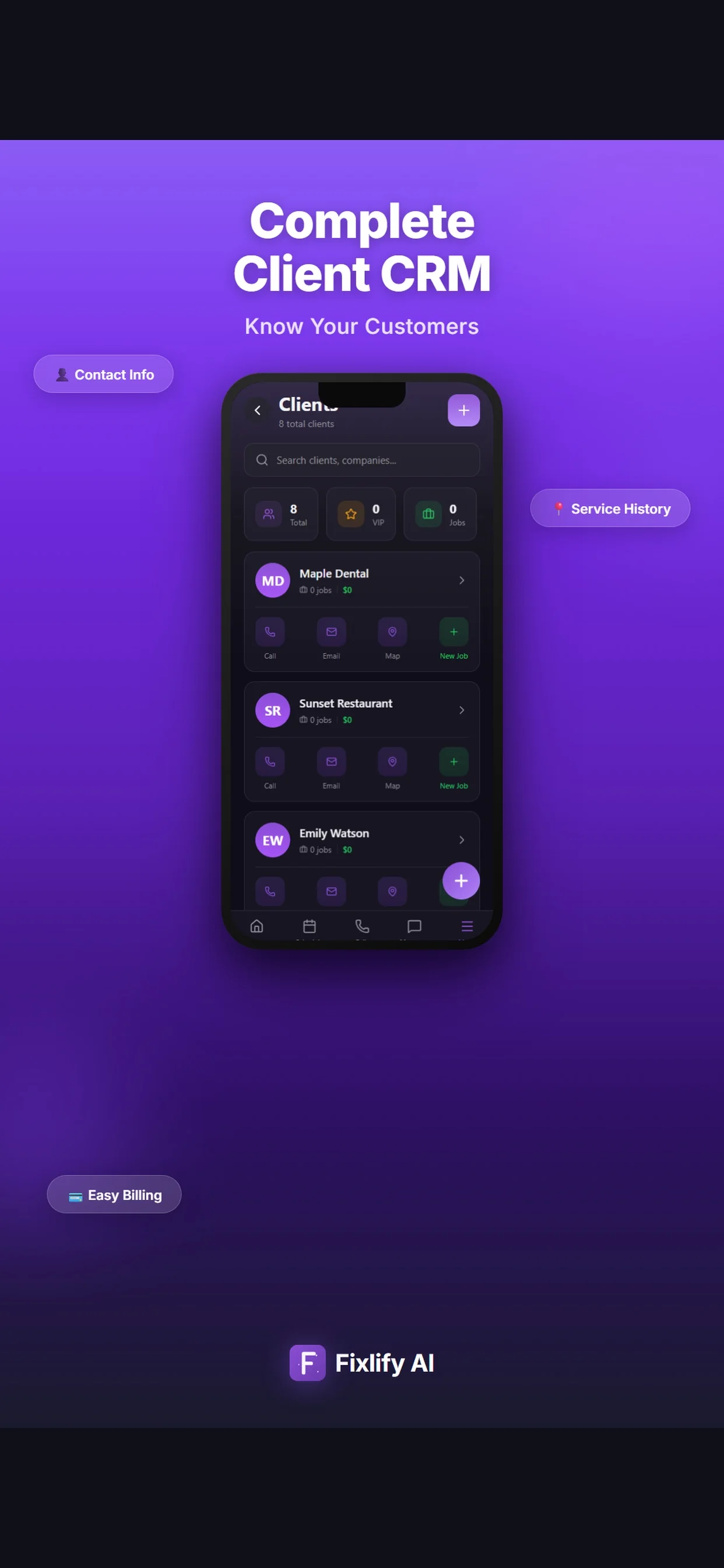
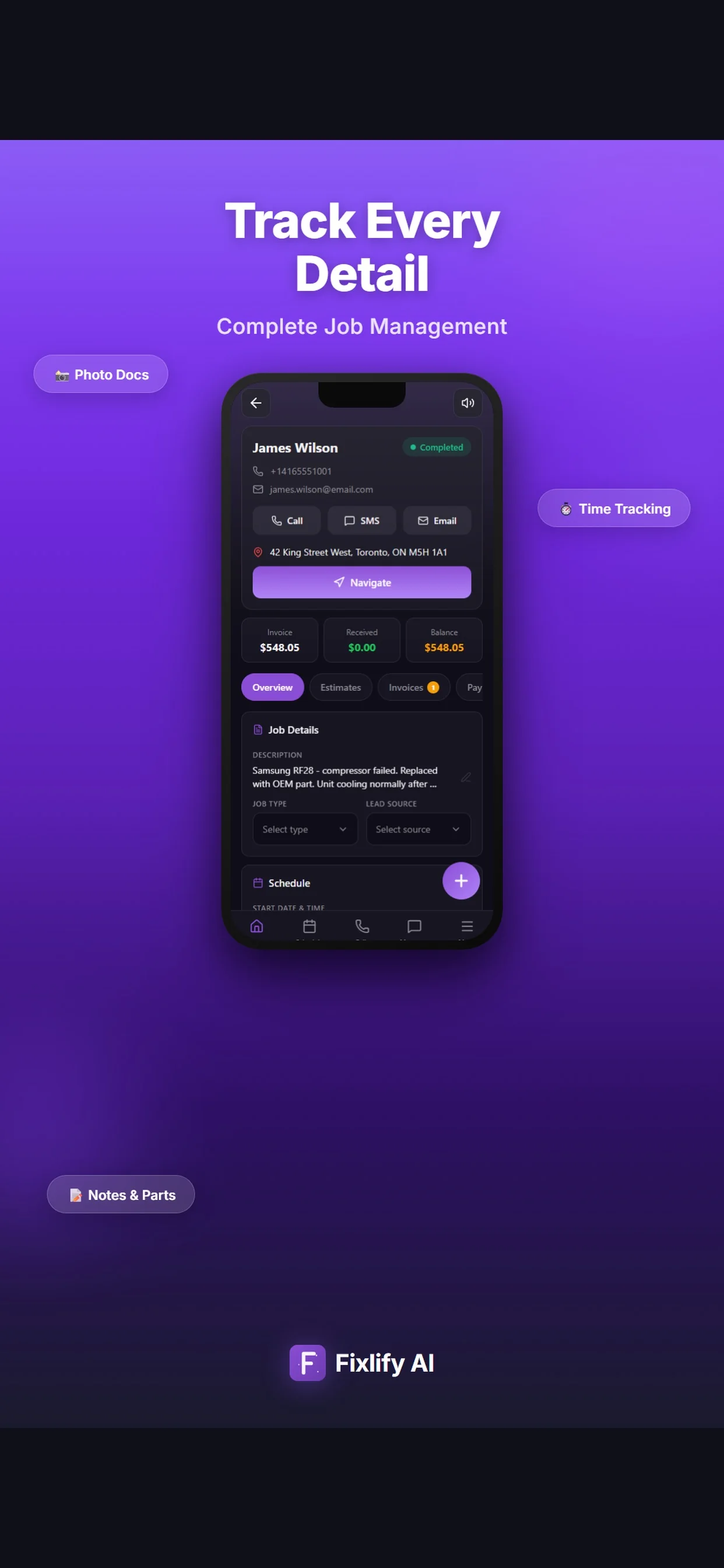
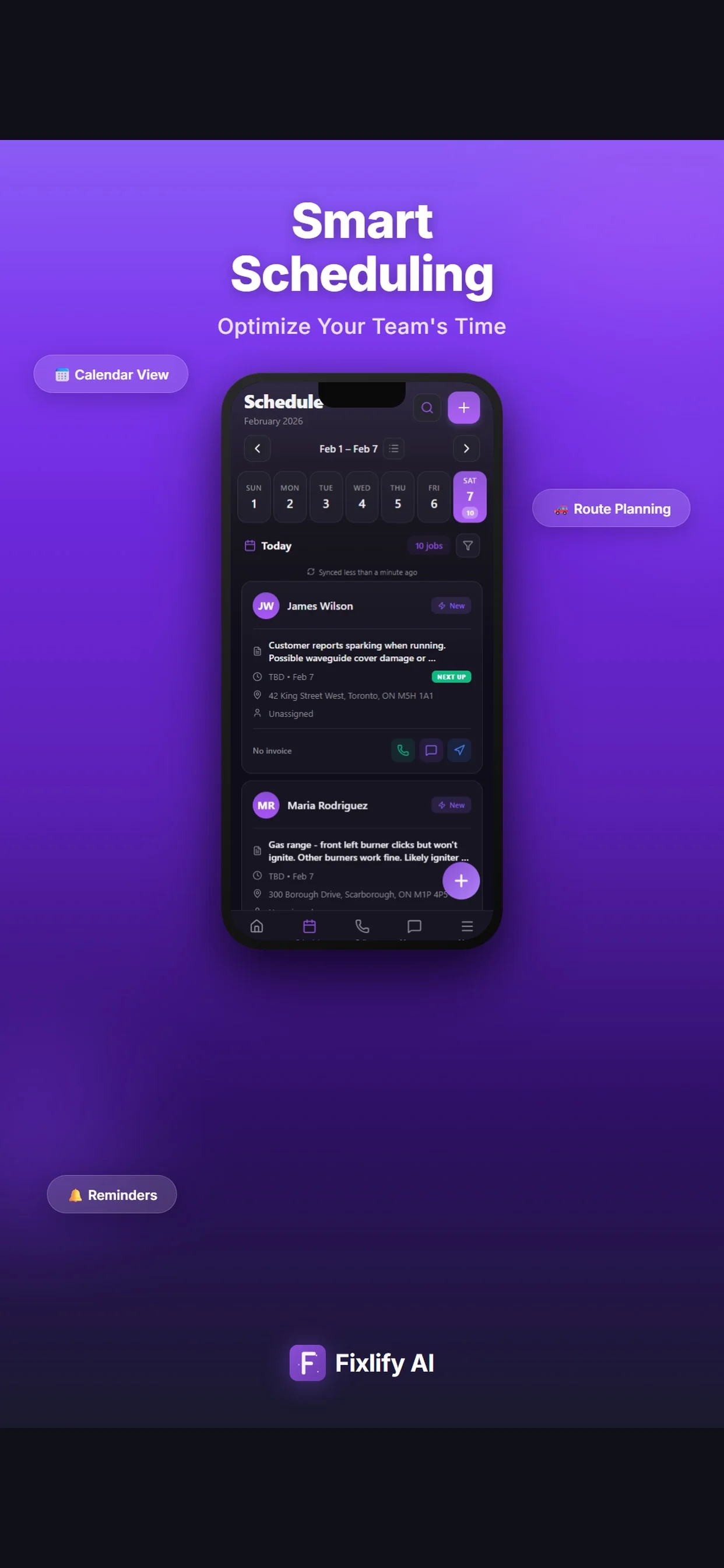
These official App Store images show current customer, job, and schedule screens. They demonstrate where a hvac team can review assigned work and customer context. The listing uses sample data; available actions depend on workspace configuration and permissions.
Official App Store listing screenshots · captured August 25, 2026 · View the official listing
For the people doing the work
A small team does not need three disconnected tools. Each person needs the part of the same customer record that helps them move the work forward.
Owner-operator
Keep new requests and customer details organized without building a second office system after the workday.
Dispatcher or office lead
Use one calendar and one job record when a customer reschedules, an urgent request arrives, or a visit needs follow-up.
Technician
Open the assigned visit, review the reported problem, and add field findings without recreating the office's notes.
For teams of 1–10
Fixlify is designed to connect everyday field-service work without requiring a separate system for each stage.
Review plan limits and pricingExplore the workflow
Demand-led local research
These pages are individually researched and cite current government sources. Other generated city combinations remain outside the search index until they pass the same review.
Questions before you start
Straight answers for owners deciding whether a connected job workflow fits their business.
It organizes customer requests, service addresses, job notes, technician assignments, appointments, estimates, and invoices. The goal is to keep the operational record connected from the first contact through completed work.
Yes. A solo operator can use the free plan for customer management, scheduling, estimates, and invoices, then add team workflows as the business grows.
Fixlify's web workspace is designed to keep assigned work and job information available to the team away from the office.
Job notes, customer details, and field documentation can be kept with the service record. Your team can use consistent fields and notes for the equipment information it needs to capture.
No. You can start with a one-time allowance of 50 AI credits without a credit card. The pricing page lists current limits and paid-plan options.
Your next hvac job
Create the customer, schedule the job, and keep the estimate and invoice connected. Start with 50 one-time AI credits and no card.
Run your next job in FixlifyOptional analytics
Help us improve the site. We exclude form text and contact details. Privacy policy