Urgent callers need a clear next step
A dispatcher must capture the address, request type, contact details, and current availability without promising an arrival time the schedule cannot support.
Locksmith software for teams of 1–10
Locksmith software for teams of 1–10. Keep customer intake, service addresses, scheduling, technician assignments, job records, estimates, and invoices connected.
Reviewed · By Nick Petrus
Built for lockouts, rekeying, lock repair, hardware installation, access work, and scheduled commercial service.
Plain-language definition
Locksmith business software helps a mobile locksmith company turn an incoming request into a documented job, schedule the appropriate technician, record field updates, and prepare the estimate and invoice from the same customer record.
Where the day gets messy
These are coordination problems, not abstract software problems. Each one becomes easier when the call, job, calendar, and customer documents share a record.
A dispatcher must capture the address, request type, contact details, and current availability without promising an arrival time the schedule cannot support.
Property entry and vehicle work require the business to follow its own identity, ownership, authorization, and safety procedures. A booking record can support that process but cannot make the decision.
A lockout request may become repair, replacement, rekeying, or a referral after inspection. The original request, technician findings, approved scope, and price should remain connected.
Addresses, access notes, assignments, photos, job status, estimates, and invoices should not be split across a calendar, text thread, and separate billing file.
One connected record
A reliable locksmith workflow preserves what the caller reported while leaving authorization, diagnosis, pricing, and entry decisions with the responsible business and technician.
Call
Record the caller, callback number, exact address, service category, urgency, access situation, and any business-approved screening information.
In this workflow: Residential lockout; caller is waiting outside; authorization check required on arrival.
Job
Attach intake notes to one job and limit sensitive details to what the business needs for service, authorization, safety, and follow-up.
In this workflow: Lockout request with address, contact, screening state, and office notes attached.
Schedule
Review service area, current commitments, technician availability, and the skills the business has verified before offering a time or assigning the visit.
In this workflow: Nearest suitable opening is offered; dispatcher approves the assignment.
Estimate
After the locksmith confirms the condition and permitted work, prepare the relevant labor, hardware, travel, or service line items and obtain the required approval.
In this workflow: Customer reviews the documented rekey scope before additional work begins.
Invoice
Create the invoice from the approved and completed work, preserve job notes, and track the balance in the same customer history.
In this workflow: Completed service, approved changes, invoice, and payment state remain linked.
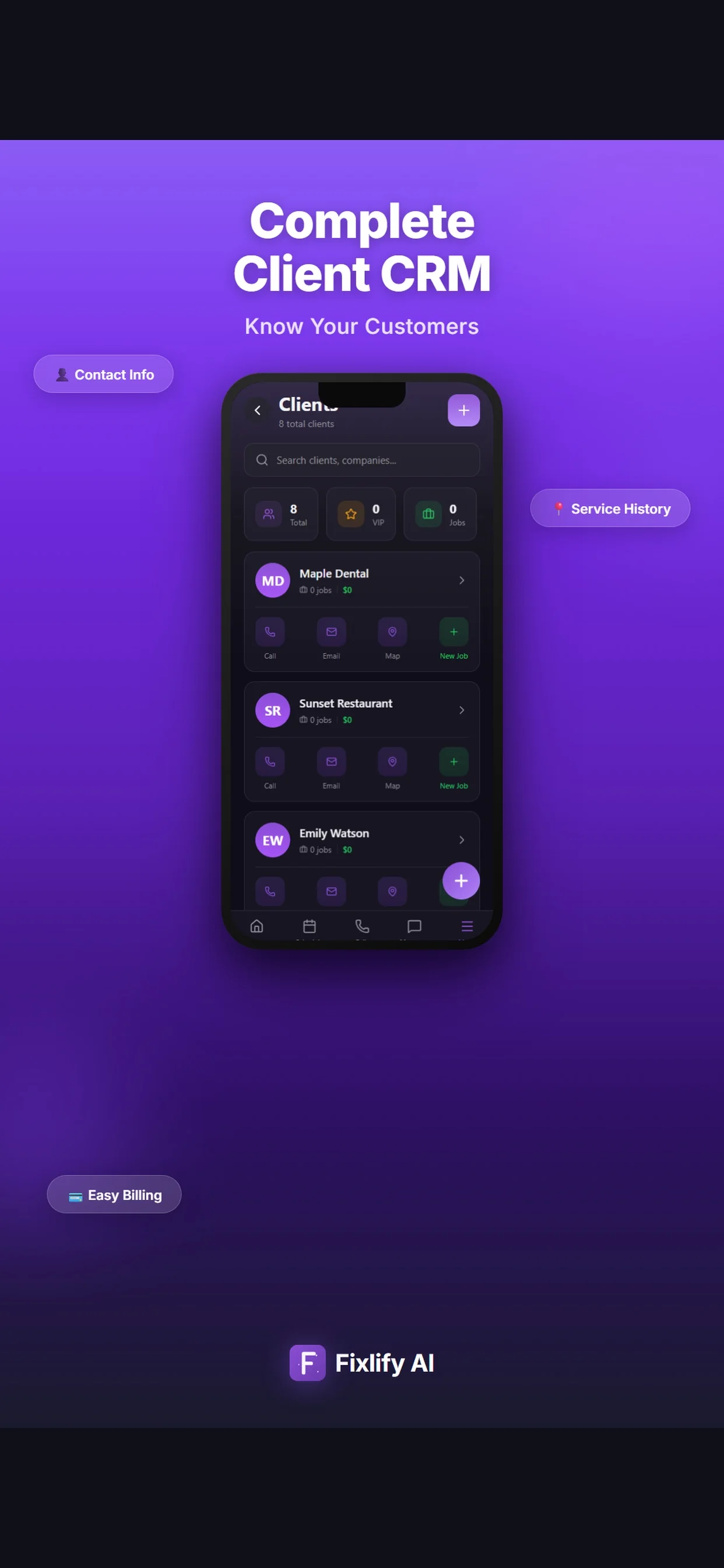
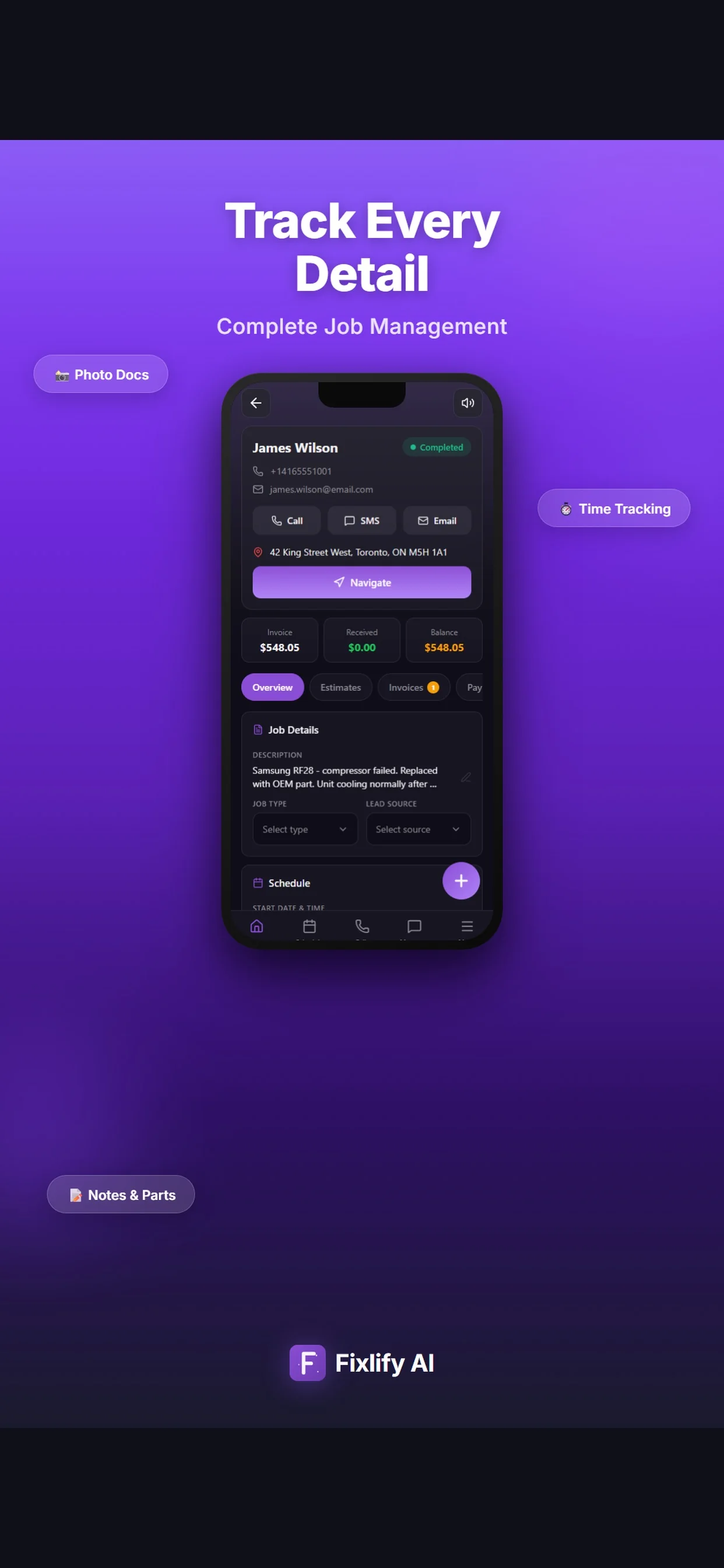
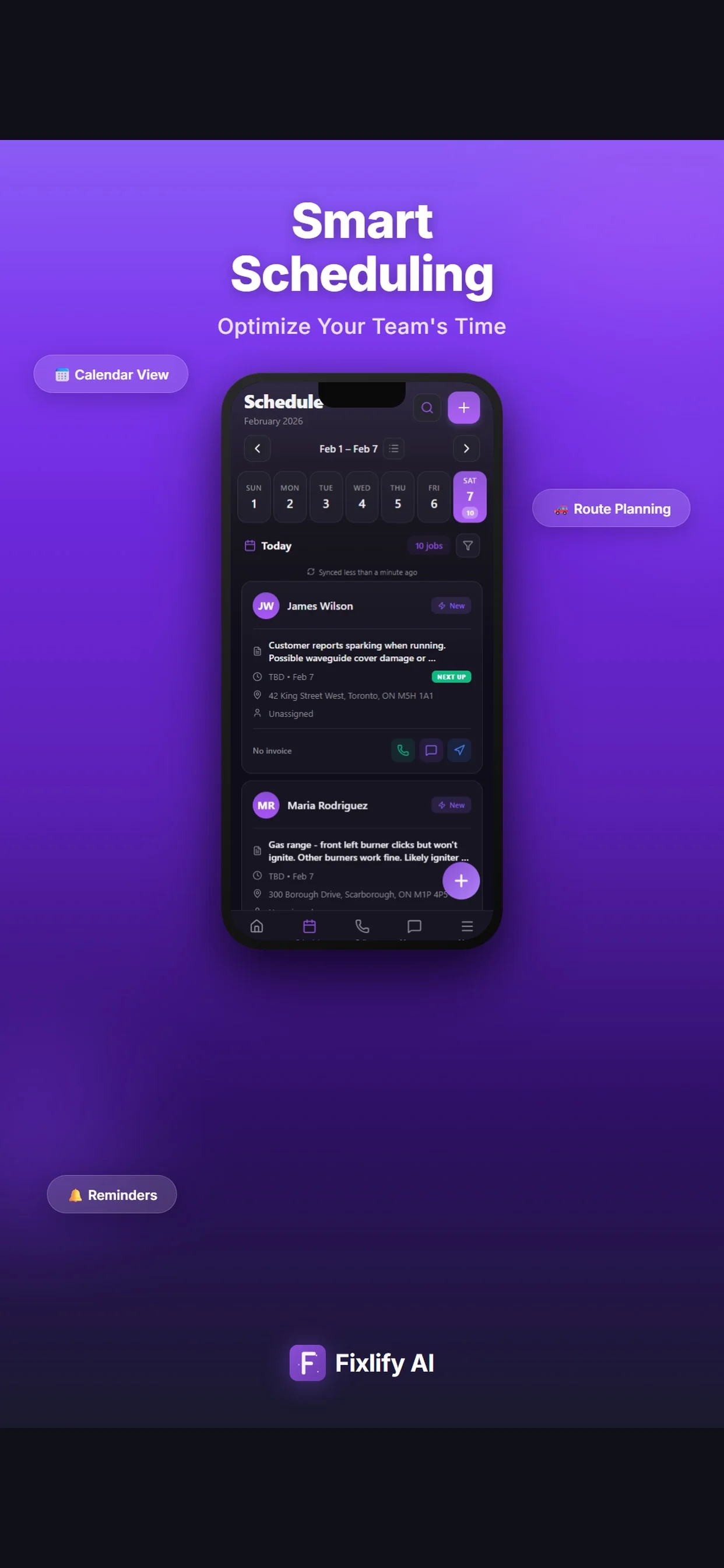
These official App Store images show current customer, job, and schedule screens. They demonstrate where a locksmith team can review assigned work and customer context. The listing uses sample data; available actions depend on workspace configuration and permissions.
Official App Store listing screenshots · captured August 25, 2026 · View the official listing
For the people doing the work
A small team does not need three disconnected tools. Each person needs the part of the same customer record that helps them move the work forward.
Owner-locksmith
Review calls, appointments, customer history, job status, estimates, and invoices without rebuilding the record after every visit.
Dispatcher
Use an approved intake process, check current availability, and keep business-defined authorization and escalation steps visible.
Field locksmith
Open the assigned job, review relevant notes, record findings and work performed, and leave the office an accurate record for billing or follow-up.
For teams of 1–10
Fixlify connects intake, scheduling, field records, estimates, and invoices. Specialist key-code databases, automotive programming, access-control design, inventory, and legal authorization checks remain separate requirements.
Review plan limits and pricingExplore the workflow
Questions before you start
Straight answers for owners deciding whether a connected job workflow fits their business.
For a small mobile team, evaluate customer and service-address records, intake, scheduling, technician assignment, job notes, photos, estimates, invoices, payment status, and history. Test the complete path with urgent, scheduled, and return work.
Fixlify provides a shared schedule, job list, and technician assignment workflow. The dispatcher or configured business process decides which technician is suitable and what arrival time can be offered. A person approves the assignment; this page does not represent automatic location-based dispatch.
A configured Fixlify AI phone assistant can collect approved details, check configured availability, and create a booking. The business can require staff approval and should route authorization, safety, technical, pricing, and unsupported-service decisions to a person.
No. Fixlify can store the operational record, but the locksmith business must define and perform identity, ownership, authorization, licensing, insurance, and safety checks required for the request and jurisdiction.
Those specialist capabilities are not represented as Fixlify features on this page. Use the appropriate specialist system and test how its records fit beside the customer, job, estimate, and invoice workflow.
Yes. The Free plan supports one member, up to 30 jobs per month, and a one-time allowance of 50 AI credits without a credit card. Review the pricing page for current phone, credit, member, and job limits.
Your next locksmith job
Create the customer, schedule the job, and keep the estimate and invoice connected. Start with 50 one-time AI credits and no card.
Run your next job in FixlifyOptional analytics
Help us improve the site. We exclude form text and contact details. Privacy policy