Pool service software for owner-operators and small teams

Pool service software for routes, visits, and billing

Pool service software for customer records, route planning, scheduled visits, field notes, estimates, and invoices. Start with a free plan.

Reviewed · By Nick Petrus

  • 50 one-time AI credits
  • No credit card
  • One connected workspace

Built for residential pool cleaning, equipment checks, repair requests, seasonal work, and recurring customer relationships.

Plain-language definition

What is Pool service business software?

Pool service software connects each customer and service address with access instructions, planned visits, assigned technicians, field notes, manually entered readings, photos, repair estimates, invoices, and service history. It gives a small pool company one operational record while people remain responsible for routing, water care, pricing, and billing decisions.

Where the day gets messy

The information gaps behind everyday Pool service work

These are coordination problems, not abstract software problems. Each one becomes easier when the call, job, calendar, and customer documents share a record.

Every route stop has different access and service context

A street address alone does not tell a technician which gate to use, whether a dog is present, where equipment sits, what the customer expects, or what happened last week. Those details need to follow the correct pool and visit rather than live in a text thread or one person's memory.

A full route changes when weather, access, or urgent work intervenes

A locked gate, storm, customer request, delayed visit, or equipment problem can disrupt the day. The office needs the current schedule, service addresses, customer commitments, and technician assignments visible before a person decides what to move and whom to contact.

Routine service can reveal non-routine repair work

A cleaning visit may uncover a leak, noisy pump, damaged component, or condition requiring further inspection. The field finding, evidence, proposed scope, estimate, approval, and follow-up should remain traceable without turning an observation into an automatic diagnosis or sale.

Visit proof becomes scattered across phones and paper

Task notes, manually recorded readings, before-and-after photos, customer messages, and technician observations lose value when they cannot be matched to the correct visit. A shared job record helps the office answer a question using the history the team actually recorded.

Service work and billing fall out of sync

A missed visit, extra repair, customer pause, price change, credit, or partial payment creates an exception. The business needs to review completed work, approved charges, invoices, payments, and accounting handoff rather than assume a calendar entry proves that money is due or collected.

One connected record

Call → Job → Schedule → Estimate → Invoice

A connected pool service workflow keeps the initial request, service address, appointment, field record, repair decision, and customer document together. Fixlify supports the operating record; your team remains responsible for water-care methods, technician suitability, routing, commitments, pricing, and financial controls.

  1. Call

    Capture the customer, pool, and request

    Record the contact, service address, access instructions, reported need, preferred timing, existing customer status, and questions that require a person. Configured AI phone intake can follow approved business information, booking rules, and an escalation path.

    In this workflow: Existing weekly customer reports low flow and asks whether the technician can inspect it at Friday's visit.

  2. Job

    Keep the planned work and pool context together

    Create or review the job with its service tasks, address, access notes, relevant history, attachments, customer request, and open decisions. Staff can distinguish a reported symptom, a technician observation, and work that has actually been approved.

    In this workflow: Weekly service tasks remain planned; the reported flow issue is marked for inspection rather than pre-diagnosed.

  3. Schedule

    Place the visit into a workable day

    Review the promised window, address, expected work, available technician, qualifications, nearby commitments, and current travel conditions before assigning or moving the visit. Fixlify keeps the appointment and job connected; a person makes the final route and dispatch decision.

    In this workflow: Friday visit stays with the regular technician after the office reviews route order, time, and repair-inspection context.

  4. Estimate

    Turn a verified finding into a reviewable proposal

    When work falls outside the agreed visit, document the field finding and prepare clear labor, material, tax, assumption, and exclusion line items. The business verifies technical scope and price, then records the customer's decision before scheduling additional work.

    In this workflow: A photographed fitting leak becomes a reviewed repair estimate with scope and exclusions, not an automatic charge.

  5. Invoice

    Bill from completed and approved work

    Compare the visit record, completed tasks, approved repair, estimate, invoice, payment status, credits, and customer account before sending or correcting billing. Keep the result with the service history and reconcile it through the business's accounting process.

    In this workflow: The regular service and approved repair are documented, while payment and accounting status remain separately reviewable.

Try the workflow with a real job.The free plan does not require payment details.
Start free

See the current Fixlify mobile job workflow

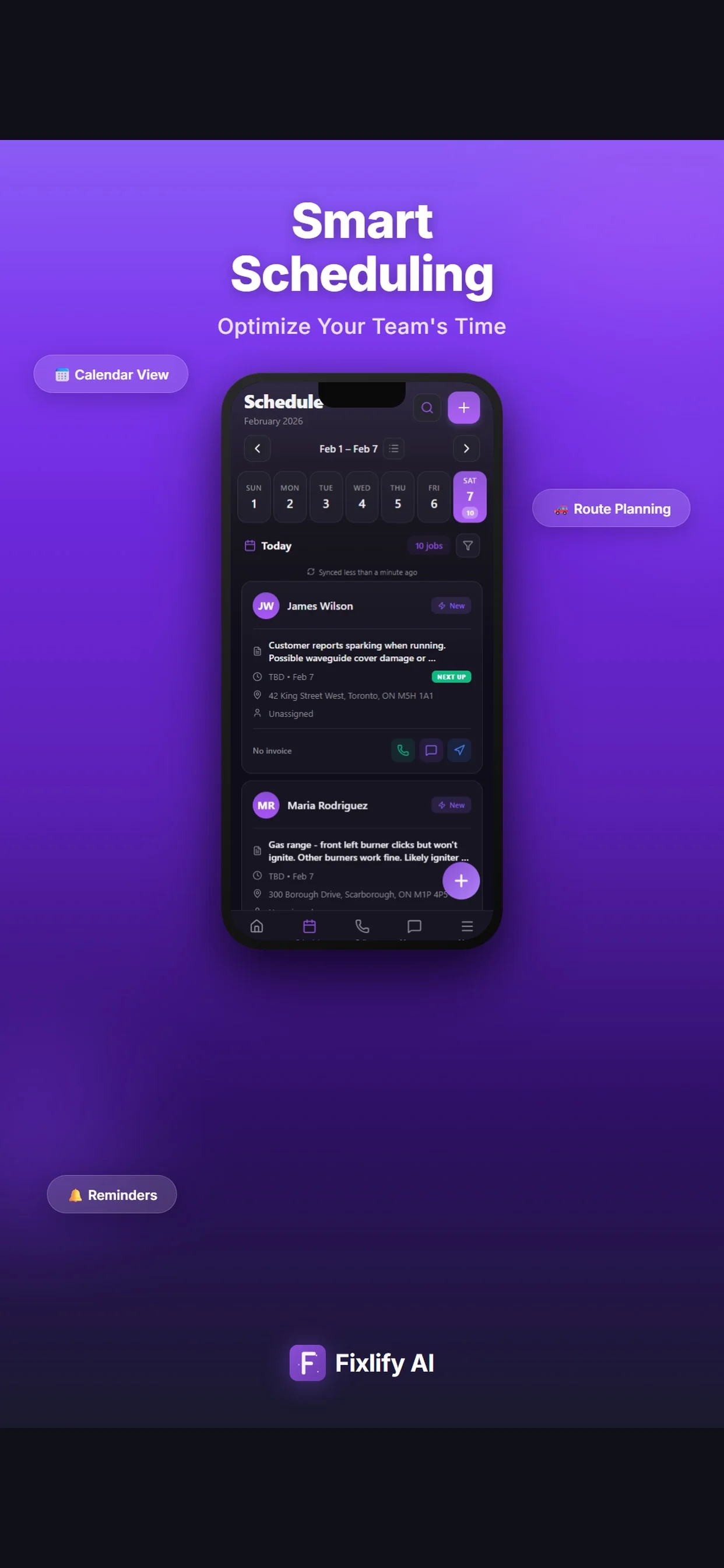
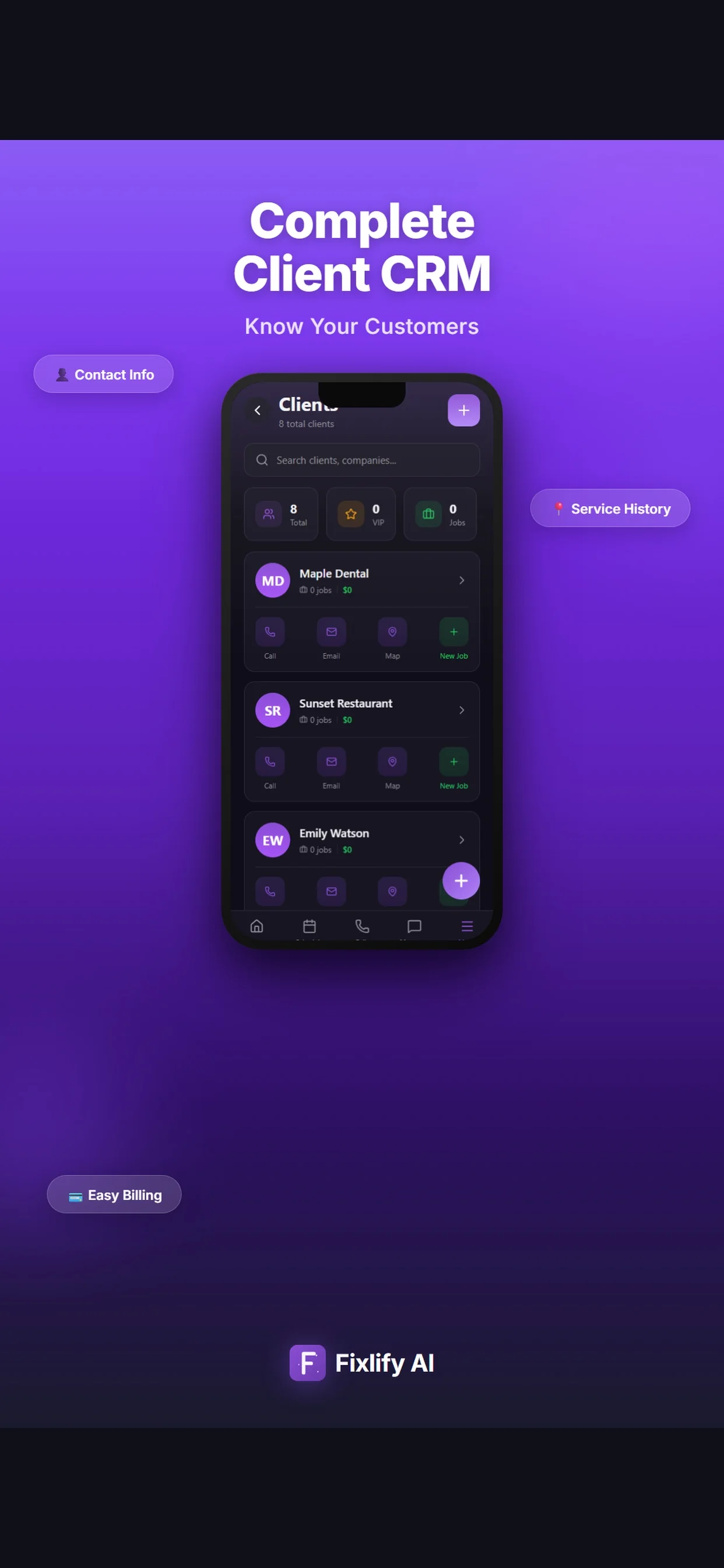
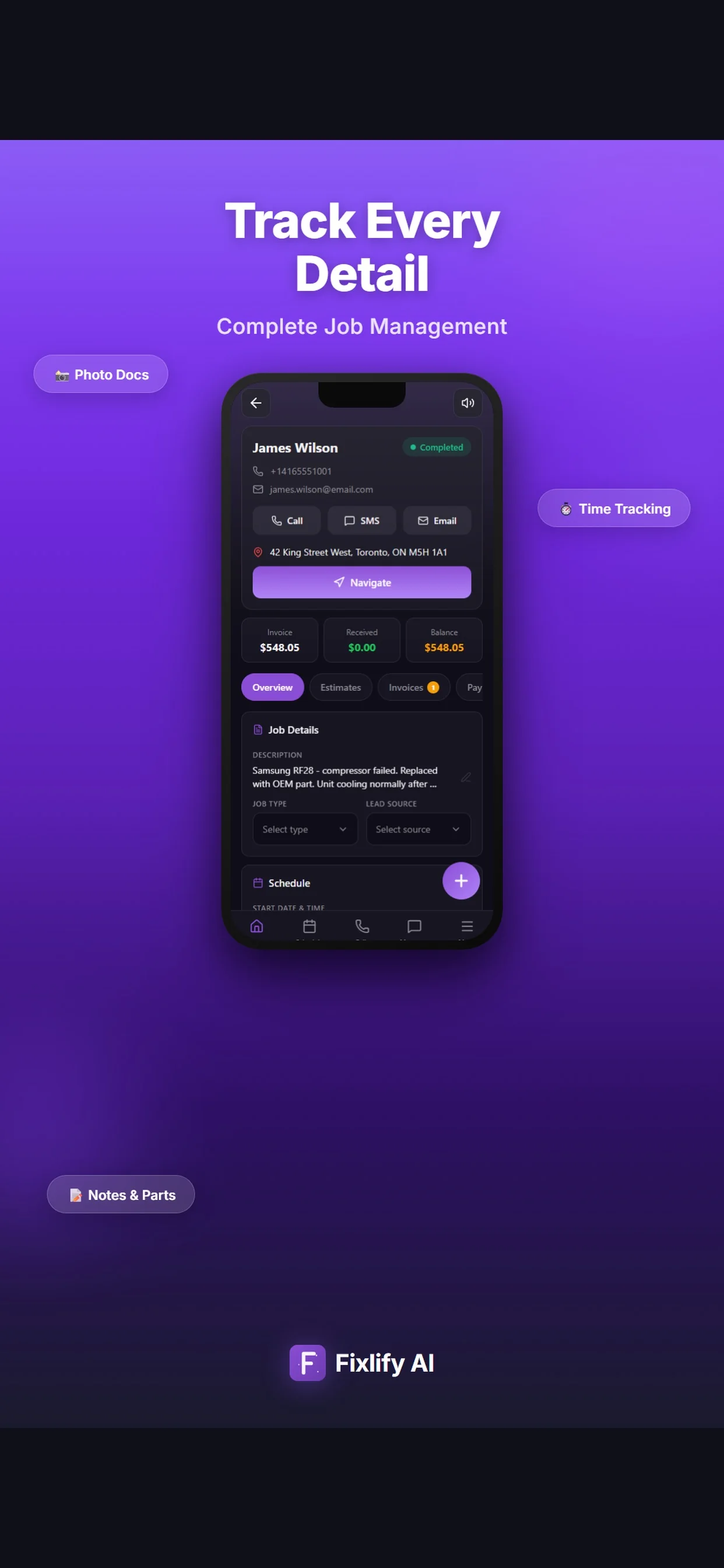
These official App Store images show current customer, job, and schedule screens. They demonstrate where a pool service team can review assigned work and customer context. The listing uses sample data; available actions depend on workspace configuration and permissions.

Official App Store listing screenshots · captured August 25, 2026 · View the official listing

Official Fixlify iOS App Store image showing the field service client list
Client list with contact actions, job count, and a path to related work.
Official Fixlify iOS App Store image showing a field service job record
Job details connecting the customer, address, notes, schedule, and invoice balance.
Official Fixlify iOS App Store image showing the technician schedule
Schedule view with dated jobs, assignment state, and customer contact actions.

Buyer checklist

How to evaluate pool service software

Use an anonymized version of one real customer and route day in every trial. Include normal weekly work, a locked gate, a repair finding, a moved appointment, and a corrected invoice. This reveals how the system handles exceptions instead of measuring only a polished demo.

Customer, pool, and access context

The system should connect the correct customer and service address with gate instructions, pets, preferred contact method, service expectations, photos, and relevant history. Check how staff correct information without leaving conflicting copies in messages or notes.

Test it: Create two pools for one property manager, give each different access notes, and confirm the technician opens the correct record.

Visit planning and route review

Pool work repeats across many addresses, but customer windows, technician availability, expected duration, weather, and travel change. Verify how the calendar shows the underlying job context while a person assigns, reorders, moves, or cancels a visit.

Test it: Build a six-stop sample day, move one locked-gate visit, and confirm every job keeps its customer, address, owner, and notes.

Mobile field record

Technicians need the actual visit, service instructions, access notes, relevant history, and a clear way to add work notes, manually entered readings, observations, and photos. Test the device, permissions, and connectivity conditions used in the field.

Test it: Open a scheduled visit on a phone, add two manual readings and a photo, then confirm the office sees the update on the correct job.

Exceptions, repairs, and approvals

A routine stop can expose work that needs inspection, specialist judgment, parts, price, and customer approval. Check whether the system preserves the original finding and evidence while separating proposed work from approved and completed work.

Test it: Record a pump-area leak, create and revise an estimate, record the decision, and schedule follow-up without changing the completed service record.

Customer communication and intake rules

Review what information a caller or message can add, which appointment rules are configured, and when the request reaches a person. AI intake should use approved business facts and escalation paths; it should not invent water-care advice, technician qualifications, prices, or availability.

Test it: Submit a normal service request and an urgent equipment-safety question, then inspect the captured facts and human escalation path.

Invoices, payments, and accounting handoff

A visit record is not complete bookkeeping. Confirm how staff review approved work, taxes, invoice status, payment references, credits, refunds, deposits, receipt retention, and export before records reach the accounting system and reconciliation owner.

Test it: Create a visit invoice and repair invoice, apply one correction, export the records, and reconcile the sample outside the demo.

Plan limits, usage, support, and exit

Compare members, monthly jobs, AI credits, phone numbers, communication use, attachments, support, export, renewal, and the busiest seasonal month. QuickBooks is currently marked coming soon in Fixlify, so include the present accounting handoff in the trial.

Test it: Calculate twelve months for the expected team and route volume, then export sample customers, jobs, documents, and attachments before signing.
Scope and limits

What Fixlify pool service software does not replace

Fixlify organizes customer and field-service operations. Keep chemical control, technical diagnosis, regulated records, route decisions, inventory, and financial controls with the qualified people and specialist systems responsible for them.

  • Automatic water-chemistry calculations, chemical dosing, treatment recommendations, safety decisions, or a dedicated regulatory chemical log
  • Connected pool sensors, IoT monitoring, automatic equipment alerts, or a guarantee that a recorded reading is accurate or complete
  • A certified inspection, leak diagnosis, electrical decision, equipment specification, code interpretation, permit, or licensed-trade judgment
  • Automatic route optimization or a guarantee about drive time, arrival windows, capacity, technician suitability, completed visits, or customer outcomes
  • Dedicated chemical, parts, warehouse, purchasing, truck-stock, serial-number, warranty, or equipment-asset inventory management
  • Complete bookkeeping, receipt classification, payroll, tax filing, bank reconciliation, or automatic QuickBooks synchronization while that integration remains coming soon

For the people doing the work

One system, three views of the same job

A small team does not need three disconnected tools. Each person needs the part of the same customer record that helps them move the work forward.

Owner-operator

Manage the route and office work from one customer history

Review upcoming visits, access information, new requests, field updates, estimates, and invoices without rebuilding the day from a paper route sheet, personal texts, and a separate billing list.

  • Review customers, addresses, and planned visits
  • Record visit findings and repair follow-up
  • Prepare estimates and invoices from reviewed work

Dispatcher or office coordinator

Coordinate route changes with the current job context

See the visit, customer commitment, assigned person, service notes, and exception before changing the calendar. Keep the new decision attached to the job so the field team and customer conversation use the same facts.

  • Confirm access and appointment details
  • Review assignments and travel before moving work
  • Track repair requests and customer decisions

Pool technician

Arrive with the details needed for the correct property

Open the assigned visit, check access and task notes, review relevant history, then add observations, manually entered readings, photos, work performed, and next actions for office review.

  • Review the current visit and access notes
  • Add field observations and photos
  • Flag exceptions without promising unapproved work

For teams of 1–10

A practical fit for a small pool service operation

Fixlify is designed for owner-operators and small field teams that want customer intake, jobs, appointments, field updates, estimates, and invoices connected. Test it with a normal visit, a locked-gate exception, a repair finding, a schedule change, and a billing correction before moving the full route.

Review plan limits and pricing
  • You maintain residential pools, perform equipment checks, or handle related repair requests
  • Your route depends on accurate service addresses and property access instructions
  • The office and field team need one current customer and visit history
  • Routine visits can lead to separately reviewed repair estimates
  • You can keep chemical automation, specialist diagnostics, inventory, route optimization, and accounting systems beside the job workflow when required

Questions before you start

Pool service software FAQ

Straight answers for owners deciding whether a connected job workflow fits their business.

What is pool service software?

Pool service software connects customers, pool addresses, access instructions, jobs, scheduled visits, assigned technicians, field notes, manually entered readings, photos, repair estimates, invoices, and service history for a pool service business.

What is the best pool service software for a small business?

The best fit completes your real customer-to-invoice workflow with acceptable setup, training, cost, and correction effort. Test a normal route day, locked-gate exception, repair finding, moved visit, billing correction, and data export using the plan you would actually buy.

Can Fixlify schedule pool service visits?

Fixlify keeps the customer, job, appointment, service address, and assigned team member connected. A person reviews customer commitments, expected work, technician suitability, availability, travel, weather, and current conditions before making or changing the schedule.

Does Fixlify automatically optimize pool routes?

No automatic route optimization or best-route guarantee is claimed here. Fixlify keeps service addresses, appointments, assignments, and job context available so a person can review the day and decide the route using the conditions and tools the business trusts.

Can pool technicians record readings and photos?

Your team can add manually entered readings, observations, notes, and photos to the job record. Fixlify does not verify a reading, calculate treatment, control dosing, replace a dedicated chemical log, or make the professional water-care decision.

Can a routine pool visit become a repair estimate?

A technician can document a finding and the business can prepare a separate estimate with reviewed scope, line items, assumptions, and exclusions. The qualified person verifies the diagnosis and price, and the customer decision should be recorded before additional work is scheduled or billed.

Does Fixlify automatically charge recurring pool customers?

Do not assume automatic recurring billing. Review the current invoice and payment workflow, customer authorization, failed-payment handling, credits, refunds, processor terms, accounting handoff, and controls required for the business before choosing a plan.

Does Fixlify integrate with QuickBooks?

QuickBooks is currently marked coming soon. Do not assume automatic accounting synchronization. Review current import, export, invoice, payment, receipt, and reconciliation requirements with Fixlify and the business's accounting professional.

How much does Fixlify cost for a pool service business?

Free includes one member, up to 30 jobs per month, and 50 one-time AI credits. Pro is $49 per month for three members, up to 200 jobs, and 300 monthly AI credits. Business is $199 per month for ten members, unlimited jobs, and 1,000 monthly AI credits. Phone numbers and AI activity consume credits; check the pricing page for current terms.

Your next pool service job

Start with the work already on your schedule.

Create the customer, schedule the job, and keep the estimate and invoice connected. Start with 50 one-time AI credits and no card.

Run your next job in Fixlify
No credit cardNo contractCancel anytime

Optional analytics

Help us improve the site. We exclude form text and contact details. Privacy policy