Owner-operator
Prioritize fast customer lookup, a clear calendar, field notes, estimates, invoices, and a simple way to test the product before moving your records.
From first call to paid invoice. Fixlify AI connects customer intake, scheduling, dispatch, field work, estimates, invoices, and payment tracking for service businesses across trades. Built AI-first and advancing toward increasingly autonomous operations, with important actions kept visible and reviewable.
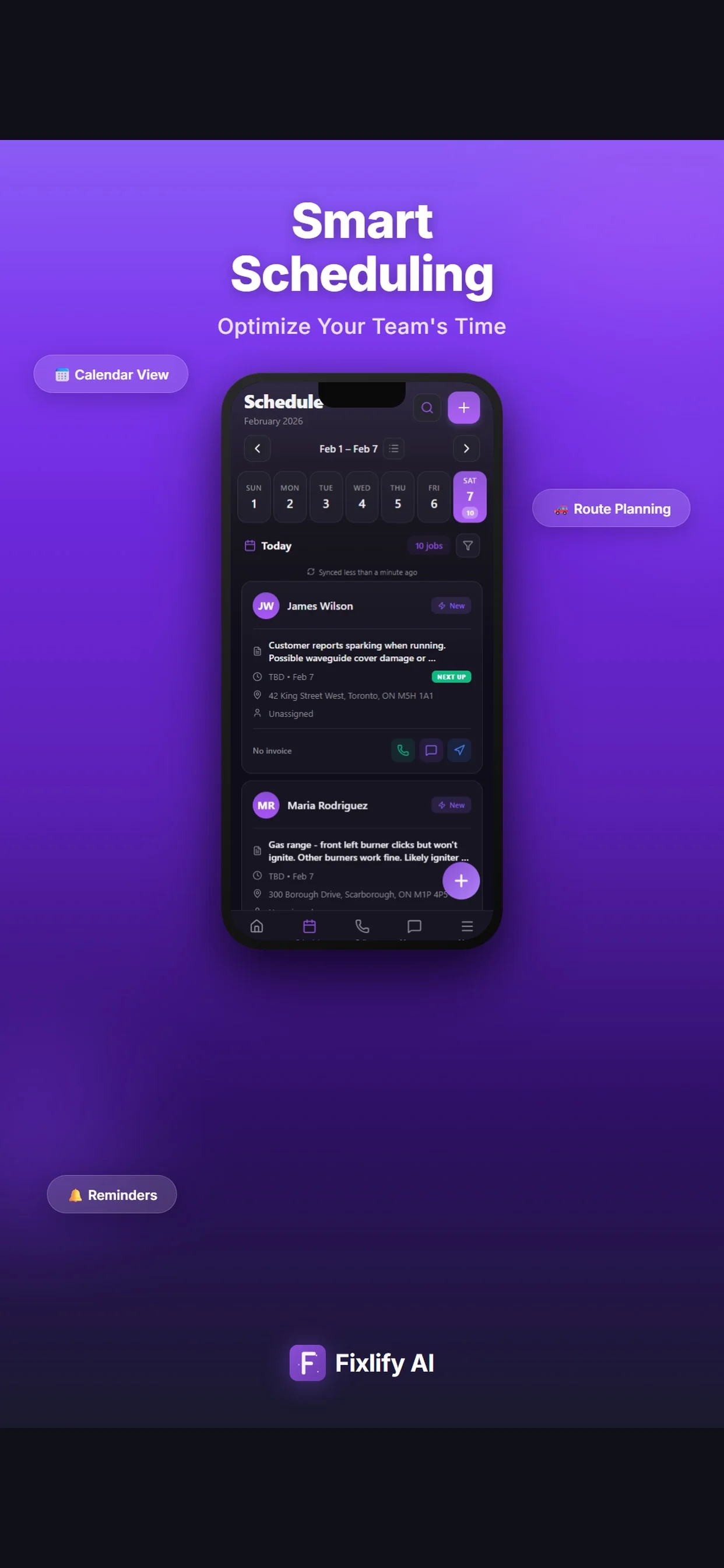
These official App Store listing images show how sample jobs and schedules appear in Fixlify AI. Calls, customer details, work, appointments, and invoice status can stay connected for office and field review.
Sample listing data. Images captured from the official App Store listing on August 25, 2026. The screens demonstrate the mobile field service interface; they do not represent a customer result or a completed AI call.
Verify on the official App Store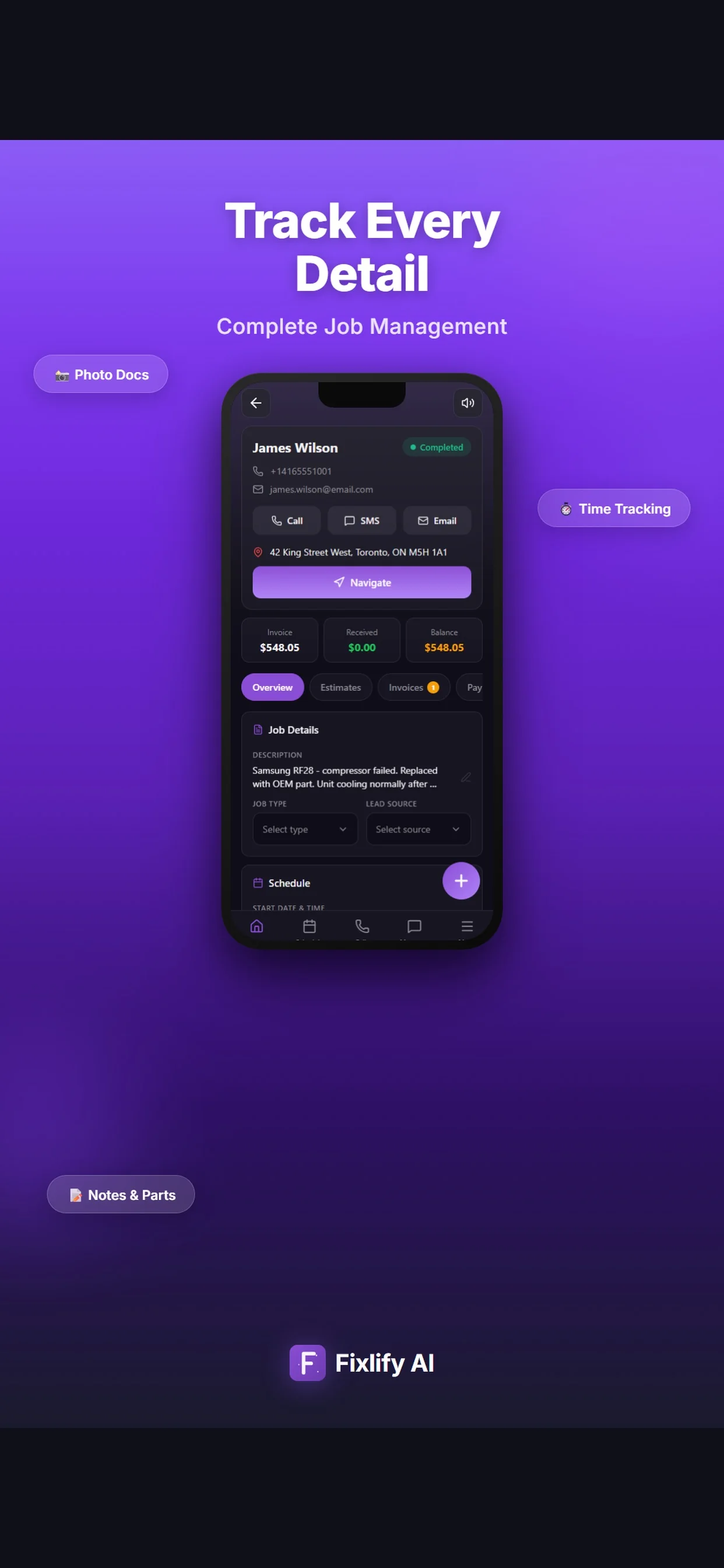
Each step keeps the customer and job context your team already captured.
| Workflow step | What Fixlify keeps together | Office view | Field view | Next action |
|---|---|---|---|---|
| 📞 AI call answering | ✓ Contact + need | Lead details | — | Create customer |
| 👥 Customer management | ✓ Contact + address | Customer history | Service address | Create job |
| 📅 Job scheduling | ✓ Time + technician | Team calendar | Assigned visit | Dispatch |
| 🛠 Work order | ✓ Notes + photos | Job progress | Job details | Prepare estimate |
| 📝 Estimates | ✓ Scope + line items | Estimate status | Job reference | Approve work |
| 🧾 Invoicing | ✓ Customer + job + total | Invoice status | Completed work | Send invoice |
Assign jobs using technician skills, location, availability, and workload from one dispatch view.
⚡ Skills + availabilityAI answers customer calls using your business instructions, captures lead details, offers appointments, and sends confirmations.
🔥 Call details capturedDrag-and-drop calendar with AI suggestions. Automatic conflict detection, travel time estimation, and workload balancing.
✨ AI-poweredPlan technician routes around scheduled jobs and view field activity on the dispatch map.
🚗 Route planningCreate invoices from job details, accept online payments, send reminders, and collect deposits.
💸 Payment trackingKeep the request, assignment, job notes, status, photos, and billing context together from intake to completion.
🚀 One connected workflowAfter you connect and configure a business number, Fixlify AI can answer customer calls, follow your instructions, capture lead details, and offer available appointments.
Explore AI receptionist setup and call handling →
Technicians manage their day from the field. Office staff dispatch from anywhere. Job details stay available to the office and the field team.
See the field service app workflow → Explore customer management →
Available on the App Store & Google Play.
Start with 50 one-time AI credits and no credit card.
Use a real workflow before deciding what your team needs next.
Create your workspace with 50 one-time AI credits and no credit card, then choose the first workflow you want to set up.
Add the customers, services, and job details you need for the workflow you chose.
Create a real job, keep the customer context with it, and enable additional tools when they fit your business.
Explore Fixlify AI with 50 one-time AI credits, no credit card, and no long-term commitment.
Ready to compare plans? See pricing, included credits, and team limits →
Start with your daily work: how a request becomes a scheduled job, what the technician needs on site, and how you send the invoice.
Read the field service management guide ?Field service management software connects customer records, job scheduling, technician assignments, work orders, estimates, and invoices. Fixlify AI adds configured AI phone intake that can help turn incoming calls into service requests and appointments.
Fixlify focuses on small service teams of 1-10 across HVAC, plumbing, electrical, cleaning, pool service, and other trades. Team allowances vary by plan, and larger or specialized operations should test their requirements before switching.
A CRM centers on customers and sales, while an invoice app centers on billing. Field service software connects both to scheduled field work, assigned technicians, work orders, and job status.
Fixlify AI phone intake uses configured business instructions and availability to answer calls, collect details, and offer appointments. The business controls the workflow and reviews activity. Phone numbers and AI actions use credits.
Compare the same team size, billing term, job allowance, mobile workflow, AI call usage, integrations, and required add-ons. Test the same representative jobs and exceptions in every product. Review the sourced Jobber comparison and Housecall Pro comparison.
Fixlify Free includes one member, up to 30 jobs per month, and a one-time allowance of 50 AI credits without requiring a credit card. A working phone number requires a paid plan, and plan and usage limits apply. Compare the current plans and limits.
Field service management software is a cloud-based workspace for coordinating customer requests, schedules, technician assignments, work orders, estimates, invoices, and service history. The right product should carry accurate context from the first request through completed work and payment while keeping important decisions visible to the people responsible for them.
Product scope and plan details reviewed .
Prioritize fast customer lookup, a clear calendar, field notes, estimates, invoices, and a simple way to test the product before moving your records.
Prioritize role access, shared job context, schedule changes, technician updates, customer communication, billing handoffs, and a cost model that includes every user.
Document inventory, service agreements, asset history, compliance, payroll, accounting, reporting, API, multi-location, and implementation requirements before selecting a general FSM platform.
Use the same anonymized customer and representative jobs in every product. Record what happened in normal work and in exceptions instead of scoring a polished demo path.
Buyer check 1
Start with the first contact. The system should preserve the caller or form details, service address, requested work, source, consent, and any questions that still need a person. If you use AI phone intake, define which services and appointment windows it may offer and when it must escalate.
Trial test: Submit a normal request, an out-of-area request, and an urgent but unclear request. Confirm the correct customer, location, notes, appointment state, and staff handoff.
Review AI phone intake →Buyer check 2
A shared calendar should show the customer, service address, time window, assigned team member, job status, and the context needed before a change. Route information can support a dispatcher, but suitability, access, skills, licensing, and the final assignment still need business rules and human judgment.
Trial test: Move one appointment, add an urgent job, reassign another visit, and verify that the office, technician, and customer-facing record show the intended result.
Review scheduling →Buyer check 3
Technicians should be able to find the right job, customer history, scope, notes, photos, tasks, documents, and status from the device they actually carry. Confirm permissions and test the workflow on a weak connection; a mobile-app listing alone does not prove every required step works offline.
Trial test: Open an assigned visit, add a note and photo, update the status, find the approved scope, and reconnect after interrupting the device connection.
Review work orders →Buyer check 4
The financial handoff should preserve the customer, job, approved scope, line items, tax treatment, invoice state, payment status, and correction history. Payment processing depends on an eligible configured provider, and an invoice workflow is not a replacement for accounting or tax advice.
Trial test: Revise an estimate, record approval, issue an invoice, apply a partial payment and correction, then reconcile every state from the customer and job history.
Review invoicing →Buyer check 5
Compare the plan you would really use: office users, technicians, job volume, phone numbers, AI credits, messages, payment services, integrations, onboarding, support, and billing term. A free tier can be useful for a trial while still excluding a workflow you need in production.
Trial test: Price a normal month and a busy month, identify every paid dependency, and confirm who can see or change customer, job, schedule, estimate, invoice, and phone records.
Compare plans and limits →Buyer check 6
List the records your business must retain before switching: customers, locations, jobs, appointments, estimates, invoices, balances, payments, notes, photos, attachments, messages, phone history, templates, and audit records. Label each integration as released, third-party, file-based, manual, coming soon, or unavailable.
Trial test: Export a source backup, map a small supported sample, reconcile at least ten records, and document cutover ownership and rollback before importing the full dataset.
Plan the accounting handoff →Browser and mobile access do not by themselves prove offline coverage, automatic route optimization, inventory, accounting synchronization, specialist compliance, data migration, or a business outcome. Fixlify currently marks QuickBooks as coming soon. AI phone intake and scheduling use your configuration, phone numbers, credits, permissions, and human escalation rules; they do not guarantee that every call becomes a correctly booked or paid job.
Schedule, dispatch, invoice, and communicate with customers from one platform. Start with 50 one-time AI credits and no credit card required.
Optional analytics
Help us improve the site. We exclude form text and contact details. Privacy policy